
The prompt
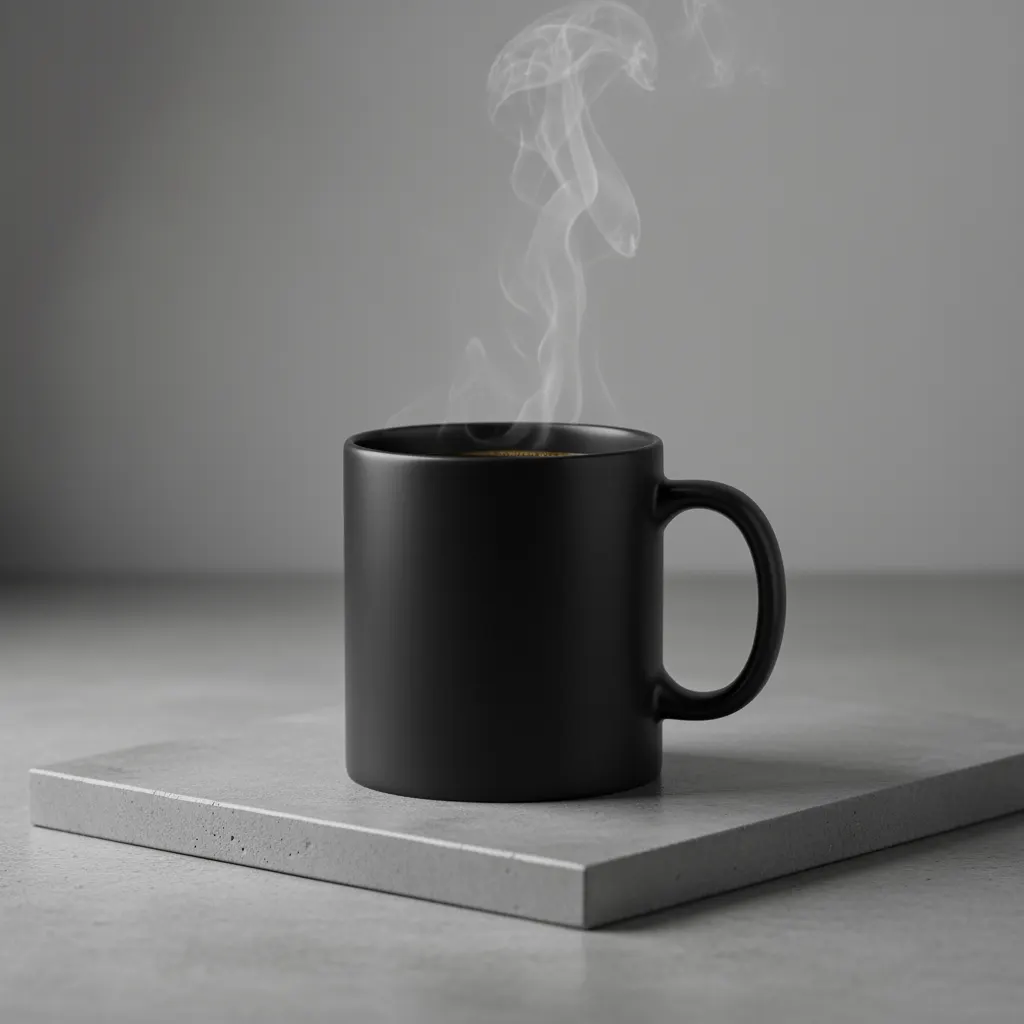
A high-resolution, studio-lit product photograph of a minimalist ceramic coffee mug in matte black, presented on a polished concrete surface. The lighting is a three-point softbox setup designed to create soft, diffused highlights and eliminate harsh shadows. The camera angle is a slightly elevated 45-degree shot to showcase its clean lines. Ultra-realistic, with sharp focus on the steam rising from the coffee. Square image.What it is
This is an image-generation prompt for Gemini that describes a studio product photograph in one paragraph. It specifies the subject (a matte black ceramic mug), the surface (polished concrete), the lighting (three-point softbox, soft and diffused, no harsh shadows), the camera angle (slightly elevated, 45 degrees), the focus and realism level, and a square format. Swap the subject and surface to reuse the structure for other products.
Who it's for
- Developers and designers who want quick studio-style product mockups
- E-commerce sellers who need clean product imagery concepts
- Marketers drafting hero images or catalog visuals
- Anyone learning how to structure a descriptive image prompt with lighting and camera details
Requirements
Requirements
- Access to Gemini image generation
- A product or subject you can describe in words (material, color, style)
- A chosen surface or backdrop to place it on
Examples
Original: matte black mug
PromptA high-resolution, studio-lit product photograph of a minimalist ceramic coffee mug in matte black, presented on a polished concrete surface. The lighting is a three-point softbox setup designed to create soft, diffused highlights and eliminate harsh shadows. The camera angle is a slightly elevated 45-degree shot to showcase its clean lines. Ultra-realistic, with sharp focus on the steam rising from the coffee. Square image.Expected output: A square, photorealistic shot of a matte black mug on concrete with soft lighting and visible steam.
Glass perfume bottle
PromptA high-resolution, studio-lit product photograph of a minimalist rectangular glass perfume bottle with a brushed silver cap, presented on a polished white marble surface. The lighting is a three-point softbox setup designed to create soft, diffused highlights and eliminate harsh shadows. The camera angle is a slightly elevated 45-degree shot to showcase its clean lines. Ultra-realistic, with sharp focus on the engraved label. Square image.Expected output: A clean square product image of a perfume bottle on marble, with soft highlights and the label in sharp focus.
Leather wallet
PromptA high-resolution, studio-lit product photograph of a slim tan leather bifold wallet with visible stitching, presented on a dark walnut wood surface. The lighting is a three-point softbox setup designed to create soft, diffused highlights and eliminate harsh shadows. The camera angle is a slightly elevated 45-degree shot to showcase its clean lines. Ultra-realistic, with sharp focus on the stitching and leather grain. Square image.Expected output: A square studio-style shot of a leather wallet on dark wood, with the leather texture and stitching in focus.
Pros & cons
Pros
- Pro:Covers subject, surface, lighting, camera angle, focus and format in one short prompt
- Pro:Lighting is specified as soft and diffused with no harsh shadows, which suits product shots
- Pro:Easy to adapt by swapping the subject, surface and focal detail
- Pro:States a square format explicitly
Cons
- Con:The wording is written around a coffee mug, so the steam focus needs rewriting for other products
- Con:Only one surface, one angle and one lighting setup are described, so other looks need manual edits
- Con:Fixed to a square image; other formats require changing the prompt
- Con:Does not cover branding, text on the product or background color beyond the surface
Images
Tips
- Replace the steam detail with a feature that matters for your product, such as a label or stitching
- Keep the lighting sentence unchanged if you want the same soft, shadow-free look
- Be specific about material and color of the subject, as the original does with 'matte black ceramic'
- Change only one element at a time (surface, angle or subject) to see its effect
Variations
- Swap the surface (for example marble or wood in place of polished concrete)
- Change the camera angle from 45-degree elevated to another viewpoint
- Replace 'Square image' with a different format
- Use a different subject while keeping the lighting and realism wording
Related
 Prompt
 Acoustic Guitar Composer
I want you to act as a acoustic guitar composer. I will provide you of an initial musical note and a theme, and you will generate a composition following guidelines of musical theory and suggestions o
 Prompt
 Flux: Candy Robot Celebration
Fun descriptive prompt from the official Flux docs examples.
 Prompt
 Product photo
Studio product photo of [product] on a dark matte surface, soft orange rim light, shallow depth of field, 85mm, ultra-detailed, minimal background.
 Prompt
 Stable Diffusion XL: Astronaut on a Green Horse
The official SDXL example prompt, a quick test of composition.
 Prompt
 Midjourney Prompt Generator
Makes a chat model write rich, imaginative descriptive prompts for Midjourney.
 Prompt
 GPT Image: 4-Panel Comic Reel
Official OpenAI example prompt for "4-Panel Comic Reel". It shows how detailed, structured descriptions produce a high-quality result.